Comfortable desk habits you can keep every day

Small changes to how you sit, move, and set up your screen add up. Here you will find plain advice for home workers, office days, and study — written for everyday life in the UK.

Practical, no jargon

You do not need a full lifestyle overhaul. Pick one moment you already have — opening your laptop, finishing a call, or making tea — and add a short action: adjust the chair, stand up, or check screen height.

Three ideas that make desk habits easier

Works whether you work from home, hot-desk, or share a kitchen table.

Tie habits to something you already do

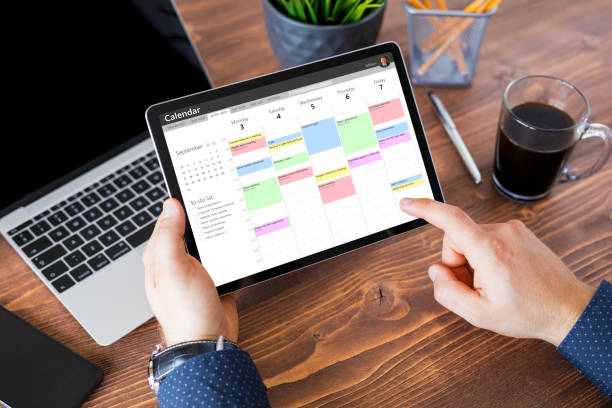
After you open your calendar, roll your shoulders. When a call ends, stand up. The cue is already in your day. After about two weeks it often starts to feel normal.

Short breaks still count

Thirty to ninety seconds of movement may ease stiffness for some people if you repeat them. On busy days, a one-minute stretch beats skipping breaks entirely. What matters is coming back to the habit.

Watch one simple sign

Pick one thing to notice: screen distance, number of breaks, or a quick desk tidy at 5 pm. One simple check each week is enough to see if your changes are working.
Over the week, some people find this helps reduce strain on their neck and shoulders, tired eyes, and that flat feeling after hours at the screen. The goal is variety and small resets, not sitting frozen in one pose.

What a comfortable workspace looks like

Real desks, real breaks — small adjustments that fit a normal working day.

Adjustable desk in a home office
Screen at the right height may reduce neck strain for some people.
Person taking a standing break
Standing up between tasks helps your body reset.
Notebook planning desk routine
A note on the desk reminds you to take breaks.
Comfortable seating and lighting
Good light and a supportive chair help you focus later in the day.

Desk and screen: what to check today

Screen and laptop

Top of the screen near eye level, looking slightly down. On a laptop for more than half an hour, raise the screen and use a separate keyboard if you can. Some people report less neck discomfort after long calls when the screen is not too low.

  • Distance: about an arm's length; move closer only if text is hard to read.
  • Glare: turn the screen or use blinds so light does not shine on the panel.
  • Each hour: check if your chin has drifted forward; relax your shoulders.

Chair and feet

Hips slightly above knees when the chair allows, feet flat or on a footrest. Keep keyboard and mouse close so you do not twist to reach them. That supports your lower back and stops you leaning forward during long typing.

Daily habit: a 30-second desk check before your first task — feet, chair, screen, shoulders. It works even when you change desk or work at the kitchen table.

Move a little between tasks

You do not need a gym session in the middle of the day. Walk while the kettle boils, circle your wrists after spreadsheets, or stand when a meeting ends. Link each action to something you already do: sending a file or closing a tab.

Pick three small actions for this week and write them on a sticky by the screen. On Friday, note which ones happened. That is how desk comfort becomes part of work, not an extra project.

Walk to the kitchen or printer once in the morning and once in the afternoon.
Roll your shoulders after every second video call.
Stand and refill water when your bottle is half empty.
Use stairs for one transition instead of the lift.

Stay comfortable and safe while you adjust

Build up slowly

Add new stretches or standing time in small steps. Sudden long standing blocks can feel tiring if your shoes or floor are unsupportive.

Keep the area clear

Keep cables tidy, secure loose rugs, and ensure adequate lighting to reduce eye strain and tripping risk when you stand often.

When to ask for help

Persistent numbness, sharp pain, or swelling deserves professional assessment. General posture tips do not replace individual evaluation.

These tips apply at home and in shared offices across the UK.

Workshops and meet-ups in Manchester

Educational sessions — not medical services. Booking and prices are confirmed before you attend.

Listed dates are subject to change. Free sessions have no ticket charge. Paid sessions show the price in GBP (including VAT where applicable) in your booking email. To reserve a place, use the contact form or email us directly.

May 2026

  • 8 May — Home desk check-in (Manchester city centre) — Free
  • 16 May — Short breaks for remote teams (online) — Free
  • 24 May — Chair and screen clinic near Booth Street — Paid (from £15, confirmed at booking)

June 2026

  • 5 June — Posture reminders for hybrid workers — Free
  • 14 June — Keyboard and mouse comfort basics — Paid (from £12, confirmed at booking)
  • 28 June — Weekly habit review (community session) — Free

Cancellation: email us at least 48 hours before a paid event for a refund where possible. Full details are in our About page.

Common questions

How much time does this take when you are starting out?

About five to ten minutes spread through the day — a morning desk check and a few short breaks. Add more only when that feels automatic for at least two weeks.

What if I hot-desk and cannot control chair type?

Focus on portable adjustments: laptop stand, external keyboard, footrest or stable box for feet, and the same short breaks wherever you sit — they do not depend on a particular chair brand.

Do standing desks replace movement habits?

Standing is one tool. Changing position, walking, and eye rest still matter. Alternate sitting and standing rather than locking into one posture all day.

Who runs this website?

Shiningpurificat.site is a UK-based educational site operated from Manchester. We publish free desk-comfort guides and occasional workshops. We are not a medical provider. Full business details are on our About page.

Is the information on this site medical advice?

No. Articles are general lifestyle information only. For diagnosis, treatment, or an occupational health assessment, contact a qualified professional such as your GP or employer’s occupational health service.

Where to read next

Each page covers one topic: desk setup, breaks, posture, how to build habits, and a full-day routine. Many people start with desk setup, then breaks, then habit building to keep things going.

For questions about events or the guides, use the contact page. Say whether you work at home, in an office, or study — we can point you to the most useful section.

Important information for visitors

This website provides general lifestyle information only and does not constitute professional or medical advice.

We are not a medical practice, clinic, or regulated health provider. Comfort and focus vary between people; nothing on this site is a promise of specific results. See About us for who operates this website, how we publish content, and how workshops are priced and booked.

Content is for general readers in the United Kingdom. We do not sell prescription products, medical devices, or regulated treatments through this site. Any sponsored or partner content is labelled clearly. For business details, advertising standards, and workshop pricing, see About us.